CapCut features suddenly Pro? Free ways to get captions, voices and slow mo back
CapCut · · 15 sources
Short answer
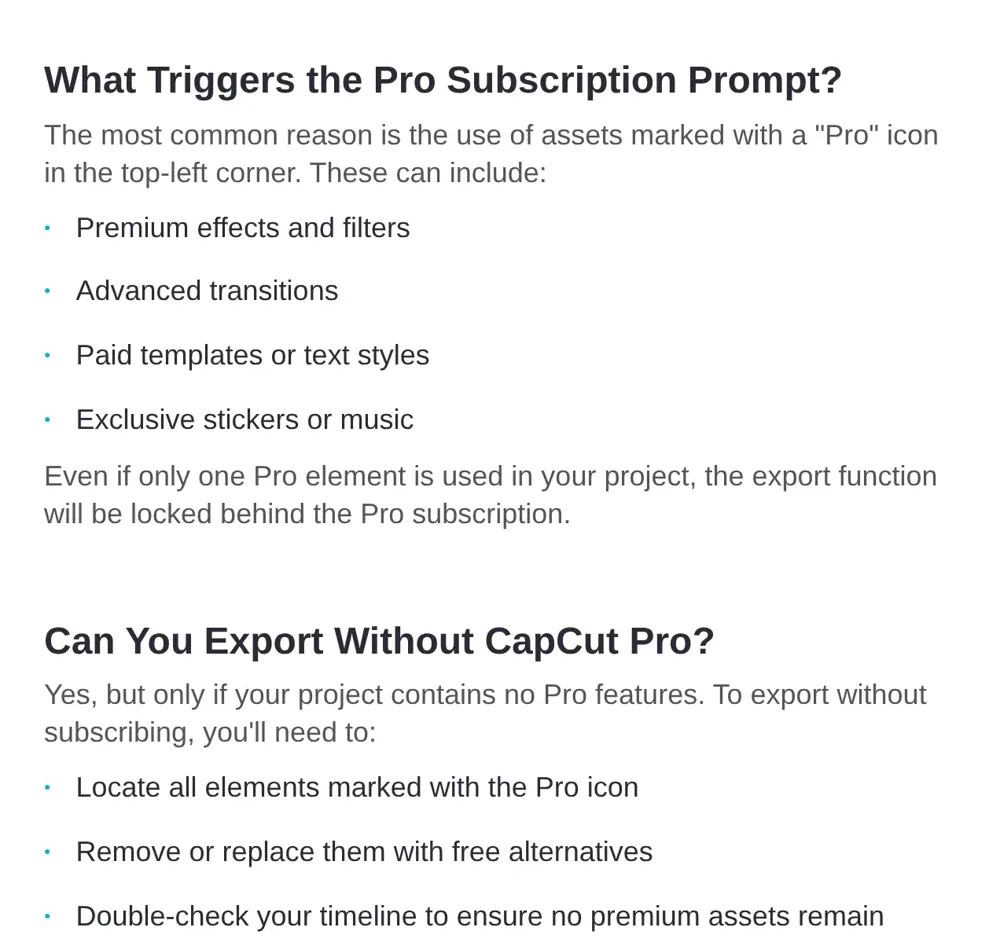
You're not imagining it. CapCut says tools that launched as free trials move to Pro once the trial ends, and a single Pro item anywhere in your timeline locks the whole export [1][2]. To export free right now, find every item with the Pro badge and swap it for a free one
For the features you actually lost, like auto captions, text to speech, smooth slow motion or background removal, there are free tools that do the same job on your own computer. The easiest is Concat, a free open source editor built as a CapCut replacement. If you already use an AI agent like Claude Code, ffmpeg-skill can handle captions, silence cuts, slow mo and 9:16 versions for you
What's going on this week
r/CapCut is full of it. On 20 October I counted 12 of the 40 top posts of the week there that were about features going Pro, surprise billing or free alternatives. A few of them
- "Literally every other TTS I used to use is now pro" [7]
- An export screen asking for Pro "in order to use the remaining free features" [8]
- A tip to do smooth slow mo in InShot "since it's pro" now in CapCut [9]
- Someone looking to leave after they couldn't cancel a monthly plan and got billed again [10]
- Missing Retouch sliders like Dewrinkle and Facelift even on a Pro Teams account, in r/VideoEditing [11]
CapCut's own help page on paid features says tools that "were once free" now need payment because "their free trial period has ended" [1]. Its comparison page lists auto captions, background remover, motion tracking and noise reduction as Pro tools and puts Pro at $19.99 a month or $179.99 a year, with prices varying by region [3]. Auto Reframe went the same way [4]
One honest caveat. AppCompareHQ checked CapCut's pages on 10 October and found no page that dates when individual effects or slow motion moved to Pro, so those moves come from user reports [6]. Check your own account before you assume a feature is gone for good
Step 1: export free without paying
If the Pro prompt only shows up at export, you probably don't need Pro for this video
- Scrub the whole timeline and look for the Pro badge on effects, filters, transitions, text styles, stickers and music. CapCut says these are the usual triggers [2]
- Delete each one or replace it with a free version
- Check AI features you clicked too, since auto captions and background removal are on CapCut's Pro list [3]
- Delete the CapCut ending clip at the end of the timeline if a template added one [5]
- Export again
If you're cancelling, export finished videos first. AppCompareHQ points to a CapCut help page saying drafts with paid materials stay in your account after Pro ends but can't be exported without Pro [6]
Step 2: get the lost features back for free
Here's how the free options line up for the features people complain about most
| Option | What you get | Cost | Catch |
|---|---|---|---|
| CapCut Pro | Everything, including auto captions, background remover and noise reduction [3] | $19.99 a month or $179.99 a year [3] | Prices vary by region |
| CapCut free with Pro items swapped out | Cuts, free effects and captions you type yourself [3] | Free | Some voices and smooth slow mo are Pro now, per users [7][9] |
| Concat | Auto captions, text to speech, voice cloning, background removal, 4K export [12] | Free, open source | Beta, unsigned builds, smooth slow mo not listed [12] |
| ffmpeg-skill with an AI agent | Captions, smooth slow mo, silence cuts, 9:16 versions [13] | Free, open source | Needs an agent plus FFmpeg, Python and Node [13] |
| InShot, for slow mo only | Smooth slow mo, per one user [9] | Free with ads, per the same user [9] | A round trip between two apps |
Option 1: Concat, the free open source CapCut replacement
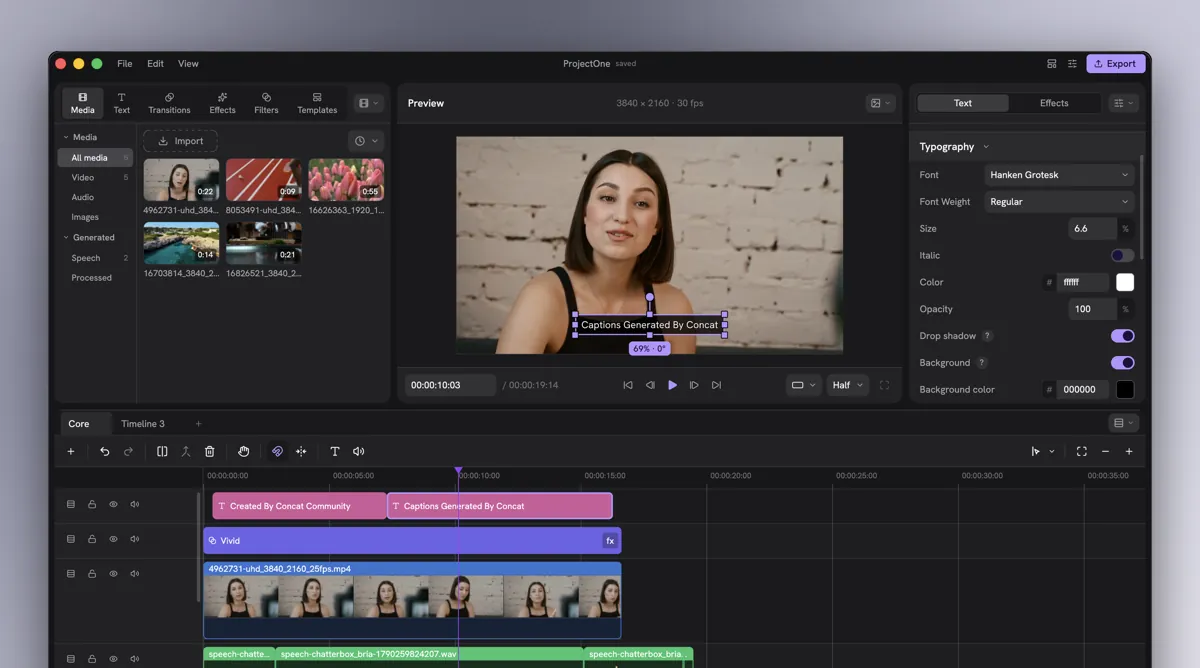
Concat got posted to r/CapCut this week as a free CapCut replacement [14]. It has about 9,600 stars on GitHub and shipped version 0.2.8 on 20 October [12]
Its README lists auto captions with local Whisper, text to speech with free local voices plus voice cloning from a short recording, background removal, keyframes with a curve editor, effects and transitions, multitrack editing and export up to 4K 60 [12]. It runs on Windows, macOS, Linux and Android, with no account, no watermark and no subscription, and the AI models download once and then work offline [12]
Two things to know before you switch
- It's in beta, and the builds aren't signed yet. On Windows you click More info, then Run anyway. On a Mac the README gives a one line Terminal command to let it open [12]
- The README doesn't mention opening CapCut projects, so finish or export your current CapCut drafts first
Bonus for AI agent users: Concat has an MCP server built in, so Claude Code or Claude Desktop can create a project, import media, cut, add titles and captions and export, all from a chat. The agent works on its own projects, not the one open in your window [15]
Option 2: let an AI agent do the boring parts with ffmpeg-skill
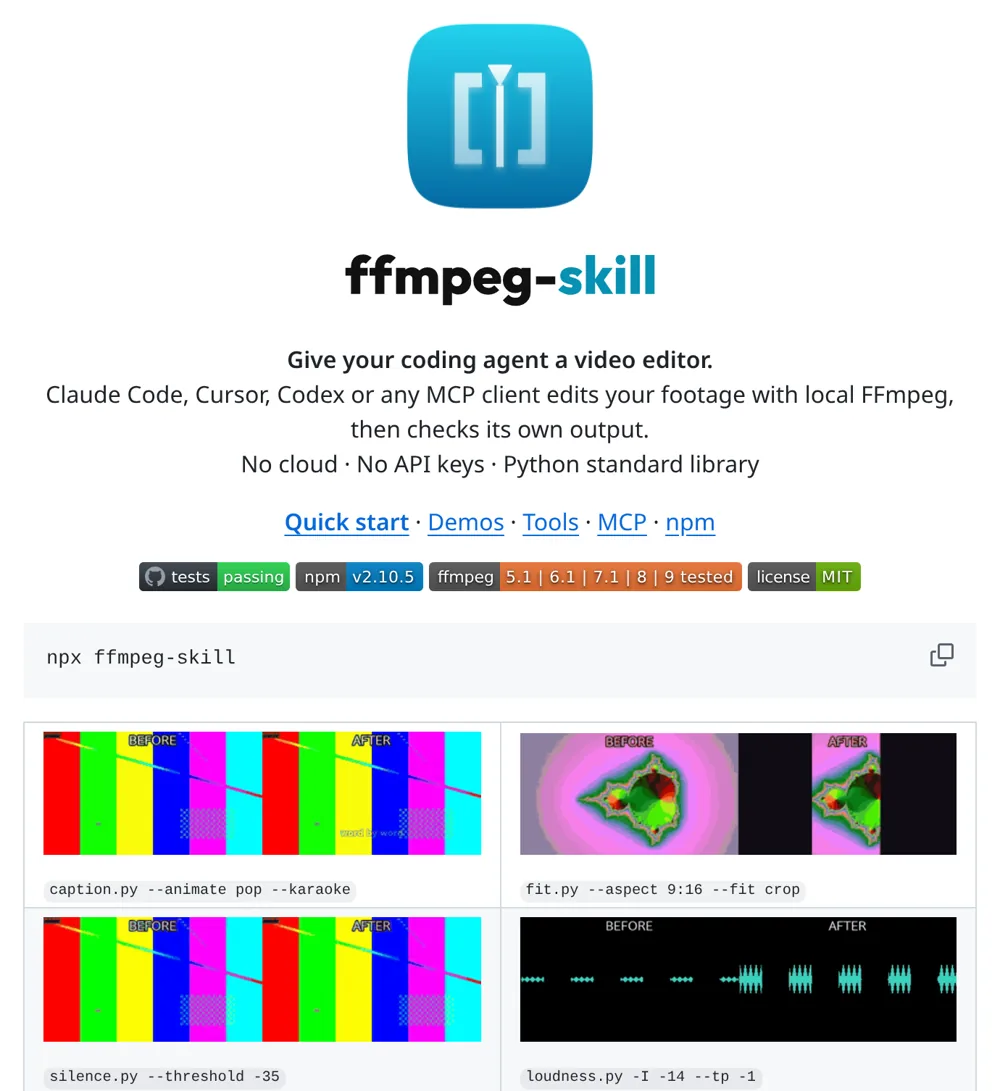
If you already use Claude Code, Cursor or Codex, ffmpeg-skill turns it into a free local video editor with 42 FFmpeg tools, no account and no API key [13]
The ones that cover lost CapCut features
- Captions burned in with a word by word karaoke highlight. It can transcribe the audio itself if a local speech engine like Whisper is installed, or use a transcript you already have [13]
- Smooth slow mo, or fitting a clip to an exact length [13]
- Silence removal for talking head videos, plus filler words when a speech engine is installed [13]
- 9:16 versions with a crop, padding or a blurred fill. It doesn't track the subject on its own like Auto Reframe, the agent looks at a frame and picks the crop [13]
How to try it
- Install FFmpeg, Python and Node, which the README lists as requirements [13]
- Run
npx ffmpeg-skillonce to add it to Claude Code (there are flags for Cursor and Codex) - Ask in plain words, for example "add word by word captions to interview.mp4 and make a 9:16 version"
- Open the result and finish the edit in whatever app you like, CapCut free included
Compare it with other FFmpeg agents on our FFmpeg tools page, or see every captioning option on the auto captions page
Staying in CapCut with an AI agent
You can also let an agent edit CapCut drafts directly. The tools are on our CapCut AI tools page. One catch: SmartCut MCP removes silences and duplicate takes by reading CapCut's auto captions, and CapCut's comparison page lists auto captions as Pro [3]. So check your plan before you set it up
If you'd rather try a different editor that an agent drives while you watch, see the agent native editors page, which includes OpenChatCut
FAQ
Why are CapCut features I used for free now Pro?
CapCut says many tools launched as limited free trials and moved to the Pro tier once the trial ended [1]. Its comparison page lists auto captions, background remover, motion tracking and noise reduction as Pro tools [3]
Can I still export from CapCut for free?
Yes, as long as your project has no Pro items. CapCut says one Pro element locks the export, so remove or replace everything with the Pro badge and export again [2]
How do I get rid of the CapCut outro at the end?
Go to the end of the timeline, select the CapCut ending clip and delete it before you export [5]
Is there a free CapCut alternative with auto captions and text to speech?
Concat is free and open source, and its README lists auto captions with local Whisper and text to speech with local voices and voice cloning. It's in beta [12]
How do I do smooth slow motion without CapCut Pro?
One r/CapCut user does the slow mo in InShot and then keeps editing in CapCut [9]. If you use an AI agent, ffmpeg-skill can make smooth slow mo with FFmpeg on your own machine [13]
How much does CapCut Pro cost?
CapCut's comparison page says $19.99 a month or $179.99 a year, and that prices vary by region, platform, taxes and promotions [3]
Sources
- Why Do Some Features Require Payment Now? by CapCut, CapCut Help Center, 7 April 2026
- Why Am I Prompted to Join CapCut Pro When Exporting? by CapCut, CapCut Help Center, 31 March 2026
- CapCut Standard vs Pro: Full Comparison of Features and Pricing by CapCut, capcut.com, 23 September 2026
- Why Do I Have to Pay Now for the Auto Reframe? by CapCut, CapCut Help Center, 3 April 2026
- How Can I Remove the Watermark When Exporting a CapCut Template Video? by CapCut, CapCut Help Center, 25 March 2026
- Did CapCut Get Worse? Price, Paywalls and the Record by Sameer Patel, AppCompareHQ, 12 October 2026
- These were free 6 months ago wtf by u/Mean_Cicada9142, r/CapCut, 17 October 2026
- Free features are Pro? by u/BINAYAUDIO, r/CapCut, 17 October 2026
- For those struggling with smooth slow motion since it's pro, use inshot by u/Icy_Bee_1957, r/CapCut, 19 October 2026
- Similar program to capcut when it comes to filters and easy use? by u/Mangoplop, r/CapCut, 17 October 2026
- CAPCUT: Why are my Retouch sliders and filters incomplete? on r/VideoEditing, 15 October 2026
- Concat README and releases by jub0t, GitHub, checked 20 October 2026
- ffmpeg-skill README by kajisho5, GitHub, checked 20 October 2026
- Capcut Open Source Alternative by u/NepaliFactos, r/CapCut, 15 October 2026
- Concat for AI agents (MCP) by jub0t, GitHub, checked 20 October 2026
Spotted something wrong or out of date? Tell me and I'll fix it
The AgentCut weekly
New AI connectors for After Effects, Premiere, Resolve and CapCut, tested setup notes, and what broke after app updates. One email a week.