Remotion MCP App
Solves Previewing code-made Remotion videos right inside your ChatGPT or Claude chat
- Works with
- Programmatic video
- Setup
- Easy setup
- Price
- Free
- Type
- MCP App (hosted)
View on GitHub → How to set it up
Helps with automate after effects and motion graphics
Ideas to try
Ideas to try
These are our ideas, not reports from real users. We haven't found a public example of someone using this tool yet. Know one?
- Build one lower third template, then ask the agent to make a version for every name in a spreadsheet
- Let the agent render a few frames to PNG and check its own work before you look
What it does
An MCP server with a built-in Remotion player: the model writes React/Remotion code, the server compiles it, and the video plays right inside ChatGPT or Claude. You can keep asking for edits and the player updates in place.
The project describes itself as: "MCP App for creating animated Remotion video compositions with a live interactive player and editing layer"
How to set it up
- In Claude go to Settings > Connectors > Add custom connector (or in ChatGPT turn on Developer Mode and create a connector).
- Paste the hosted MCP URL from the README and save.
- In a new chat, pick the Remotion connector and describe the video you want.
This is a plain English summary of the project's own instructions. Commands and versions change, so always follow the current README at the source link
Safety notes
- The quick start uses a hosted instance run by mcp-use, so your prompts and code go through their server. You can self-host from the repo instead.
- Remotion itself has its own license terms for companies; check remotion.dev/license.
General rule: open a duplicate of your project before letting any agent make changes, and read what a script does before approving it
Other tools for automate after effects and motion graphics
After Effects MCP (Dakkshin)
Solves Building comps, text, shapes and keyframes in After Effects by asking instead of clicking

HyperFrames (HeyGen)
Solves Making motion graphics, captions and callouts with AI and rendering them to MP4
 Video
VideoRemotion Agent Skills (official)
Solves Making ads, explainers and data videos with code that Claude writes for you
 Video
VideoPlainly Videos MCP (official)
Solves Rendering lots of versions of your After Effects templates in the cloud without opening AE
 Video
Videomcp-aftereffects (Kumo Productions)
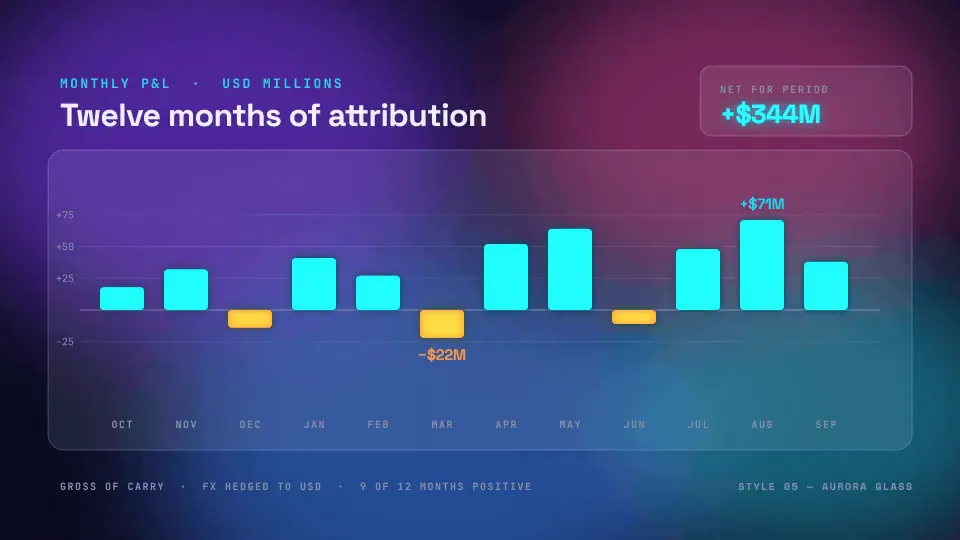
Solves Checking and changing an open After Effects project, then kicking off renders, with one undo for each change
 Demo clip
After Effects MCP (Engine Room)
Solves Making lower thirds, logo reveals and counters from a one line description, as editable layers
Compare all 5 Programmatic video tools →
The AgentCut weekly
New AI connectors for After Effects, Premiere, Resolve and CapCut, tested setup notes, and what broke after app updates. One email a week.