AI editing slower than your timeline? The paper edit workflow for Claude and DaVinci Resolve
AI rough cuts · · 13 sources
Short answer
Don't edit with the agent shot by shot. Transcribe your footage with timecodes, ask Claude for a paper edit (the script of the cut as text), fix it in text until the order is right, and only then let it build the timeline in Resolve Studio through File > Setup AI Assistants. Then do the fine cut yourself, the way you always have
That one change is what separates the people saying AI editing is useless from the people cutting a dozen shorts in a day. It works best for talking head, interview and podcast footage
What's going on this week
AI editing was the loudest argument in editing circles between 27 October and 2 November, and it split two ways
- Mo on X: "Anybody claiming AI is editing their videos end to end is lying", because he "simply cannot figure out how to go back and forth with an agent on this that's anywhere near as fast as a traditional point and click flow in Final Cut" [1]
- Sabine Hossenfelder: "It is remarkable on some level that we still don't have any halfway decent AI video editor" [2]
- On the other side, Alex Cooper wrote that his senior editor now puts out five times the ad edits per day at the same quality, using skills built in Claude [3]
- Andrew Harding cut 14 videos from long founder interviews with Claude and Resolve, and his main tip was to do the edit on paper first [4][5]
- levelsio had Claude Code edit a 10 minute vlog from his DJI clips, working from transcripts and frame grids [6]
- In r/davinciresolve, one editor pushed 3 hours of multicam footage to final exports in 45 minutes with an agent pipeline, though the multicam switching script took 6 hours of tweaking first [7]. Another asked which Claude plan you need for Resolve 21.1 [8]
The people getting results all do the same thing. They stop asking the agent to edit video and start asking it to edit text
Why going back and forth feels so slow
Every note like "trim that a bit" means the agent has to work out which clip you mean, change it and wait for you to watch again. Harding says revising cut after cut in video works but is much slower and burns far more tokens. With a timecoded transcript, moving a sentence in text is instant and nearly free, and the agent then makes the cuts fast and fairly accurately [5]
Step 1: pick your route
| Route | What you need | Cost | Good for | Watch out for |
|---|---|---|---|---|
| Claude + Resolve Studio official MCP | Resolve Studio 21.1+, Claude Desktop or Claude Code | Studio is a one time license, $236 on sale (normally $295) when checked. Claude Pro is $20 a month [9][10] | Talking head, interviews, podcasts, shorts from long videos | Not in Resolve Free [11] |
| Claude Code with FFmpeg only | Claude Code, FFmpeg, Whisper | Claude Pro or higher [10] | Vlogs and quick cuts with no editor open, like levelsio's [6] | Harder to fine tune by hand afterward |
| Agent writes FCPXML for Final Cut | Final Cut Pro, a FCPXML tool | Free tools | Final Cut editors who want to keep frame control | Community tools, check the repo first |
| Clip apps with official MCP | OpusClip, Descript and others | Paid plans | Shorts and captions with no setup | Less control over the cut |
Step 2: connect Claude to Resolve Studio
- Update to Resolve Studio 21.1 or later and back up your project library first. Projects opened in 21.1 can't be opened in 20.3 again [11]
- Install Claude Desktop or Claude Code on the same computer and sign in
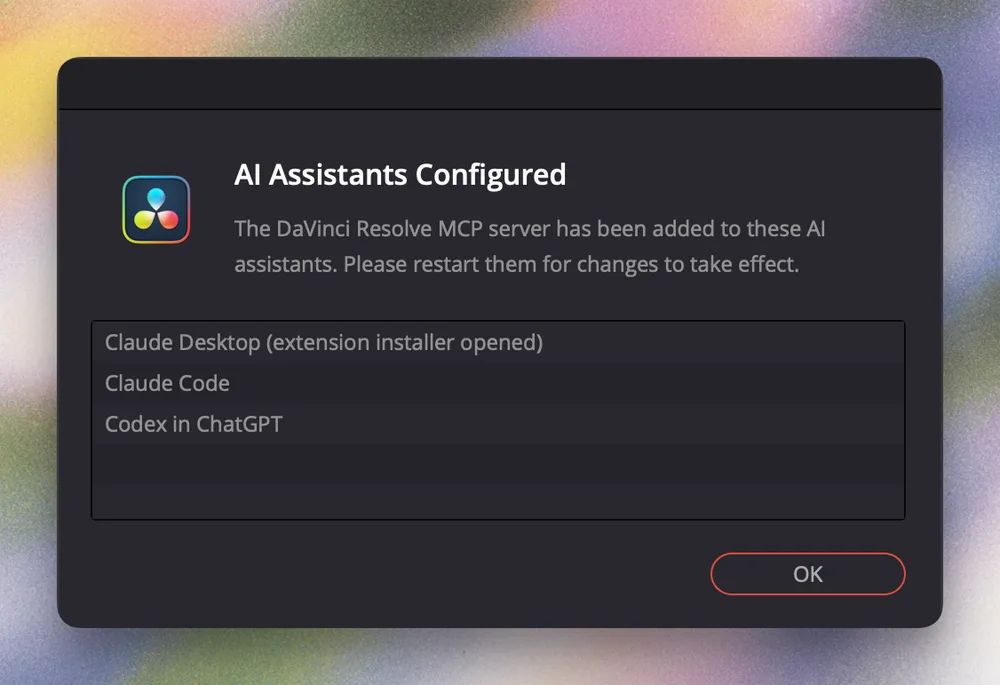
- In Resolve, open File > Setup AI Assistants. Resolve finds the assistants on your computer and adds its MCP server to them [12]
- Quit the assistant fully and open it again so it loads the new connection [12]
- Test with a request that changes nothing, like "Tell me the name of my open Resolve project and how many timelines it has. Don't change anything yet" [12]
- If it can't reach Resolve, go to Preferences > System > General and set External scripting using to Local [5][13]
Work on a duplicated project or timeline at first. More on the official server versus community servers is on Resolve official vs community MCP, and every Resolve bridge is on DaVinci Resolve MCP
Step 3: transcribe everything with timecodes
Harding calls this the step not to skip. He runs his synced clips through MacWhisper and exports SRT files, which give Claude the timecode and speaker for every line [5]
The author of resolve-edit-kit goes further and uses Whisper for word level timings instead of Resolve's own transcription, because they found Resolve's word timings run late [13]. If you'd rather not set that up, Claude Video Vision extracts frames and a timestamped transcript so Claude can see and hear each clip
Label your files and keep footage, audio and any brand fonts in one folder you point Claude at [5]
Step 4: ask for a paper edit and fix it as text
Tell Claude the goal, not every cut. Harding's example brief asks it to sync two cameras and an audio file, switch to whoever is speaking, follow the brand guidelines in the folder and mix in b roll during long stretches of speech [5]
Then ask for the paper edit. Claude reads the transcripts and writes the cut as a script. You move, cut and reorder lines in text, for as many rounds as you need. Only when the order is right do you ask it to build the timeline [5]
Step 5: let it build, then expect these fixes
From Harding's write up and the resolve-edit-kit README [5][13]
- Sentence starts and ends get clipped. Ask Claude to line every cut up with the audio waveform and leave about 0.3 seconds after each sentence
- "Remove the ums" can make it cut too often and switch angles too fast. Tell it how much is too much
- Unsorted b roll leads to aimless shots. Have it log your b roll into selects first and approve them. Harding says Claude logged about 70 minutes of b roll into 51 sequences once and every later edit reused that log
- Give notes with a timestamp for each fix. Vague notes cost extra rounds
- New Resolve projects default to 24 fps playback. Set Project Settings > Master Settings > Playback frame rate to match your timeline before you review, because the agent can't change it
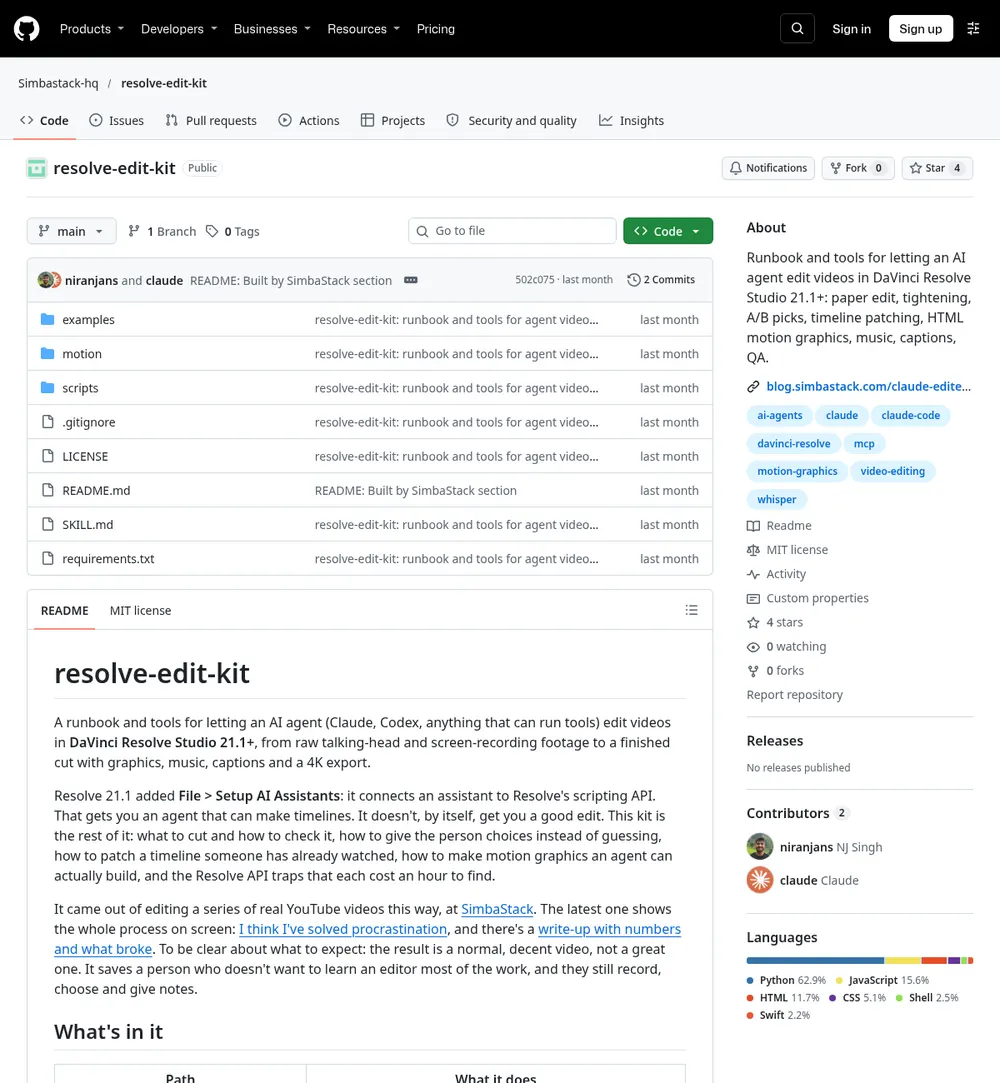
If you want a ready runbook for all of this, resolve-edit-kit is a free Claude Code skill built around the same pipeline: Whisper transcripts, a paper edit turned into a frame accurate EDL, pause tightening and A/B choices where there are two good takes [13]. Its author is clear that the result is "a normal, decent video, not a great one" and that you still record, choose and give notes [13]
Step 6: keep the fine cut in your hands
This is the honest answer to Mo's complaint. Frame level trims are still faster with a mouse. Let the agent do the assembly and the boring 80 percent, then take over in the timeline
- In Resolve, the agent's timeline is a normal timeline. Trim it like any other
- In Final Cut, FCPXML MCP lets Claude read and write Final Cut timelines as FCPXML, so you import the cut and finish it yourself. More options are on Final Cut Pro MCP
- On Resolve Free, Wasserman's Unofficial DaVinci MCP can generate FCPXML files you import, since the live connection needs Studio
- In Premiere, Jumper can pull selects and build sequences from a Claude chat on its Pro plan, and Auto Cut for Premiere Pro removes silences with a preview of every cut. More on Premiere Pro MCP
Step 7: make it remember your notes
Every time you give the same note twice, have Claude save it as a rule. Harding's examples are hooks that make sense with zero context and alternating wide and close cameras between speakers [5]. Cooper builds small skills for each style of edit and refines them with feedback from his best editor [3]
Rather skip all of it? Clip apps like OpusClip and Descript run their own MCP servers, so Claude can send them a video and get clips or edits back. More of these are on long videos to shorts, and for the general setup see Claude Code for editors
FAQ
Which Claude plan do I need to edit in DaVinci Resolve?
Claude Code comes with every paid plan, starting with Pro at $20 a month or $17 a month billed yearly. Max is $100 a month with five times the Pro usage [10]. Harding found the workflow token efficient but suggests you may want more than the $20 plan while you learn it [5]
Does Claude work with DaVinci Resolve Free?
Not through the official connection. The native MCP server and external scripting are Studio features in Resolve 21.1 [11]. Free users can use tools that write timeline files to import instead, like Wasserman's Unofficial DaVinci MCP
Can AI edit a whole video for me?
For simple talking head and interview videos it can get you most of the way, but the people doing it still give notes and fix the cut. The resolve-edit-kit author describes the result as a normal, decent video, not a great one [13]
Is it safe to let Claude change my Resolve project?
Back up the project library before you update to 21.1 and test on a duplicate project. Start each session with a request that changes nothing so you know it sees the right project [11][12]
Does this work with Premiere Pro or Final Cut?
The paper edit part works anywhere because it is just text. For the assembly, an agent can write FCPXML for Final Cut, and tools like Jumper build sequences for Premiere. Then you finish the cut yourself
Sources
- Anybody claiming AI is editing their videos end to end is lying by Mo (@atmoio), X, 28 October 2026
- It is remarkable on some level that we still don't have any halfway decent AI video editor by Sabine Hossenfelder, X, 28 October 2026
- A few thoughts on agentic video editing by Alex Cooper, X, 27 October 2026
- Right now I think Claude/Codex + the DaVinci Resolve MCP works best by Andrew Harding, X, 29 October 2026
- Claude + DaVinci Resolve Solved Video Editing (for most people) by Andrew Harding, X article, 30 October 2026
- My vlog today was fully edited by Claude Code by levelsio, X, 1 November 2026
- Things are different now: AI Assistants and DaVinci Resolve by u/holdmyhanddummy, r/davinciresolve, 30 October 2026
- Resolve and Claude info by u/spejampar, r/davinciresolve, 29 October 2026
- DaVinci Resolve Studio by Blackmagic Design, checked 3 November 2026
- Claude pricing by Anthropic, checked 3 November 2026
- Resolve 21.1 Adds MCP and Finally Gets Presets by Bela Beier, Digital Production, 8 September 2026
- Connect DaVinci Resolve by Aspect, Aspect docs, checked 3 November 2026
- resolve-edit-kit README by Simbastack-hq, GitHub, checked 3 November 2026
Spotted something wrong or out of date? Tell me and I'll fix it
The AgentCut weekly
New AI connectors for After Effects, Premiere, Resolve and CapCut, tested setup notes, and what broke after app updates. One email a week